
How AI Legal UK Works
When you ask AI Legal UK to review a contract, something clever happens behind the scenes. Instead of one AI reading the whole thing, the system splits the work across multiple specialist AI agents -- each one focused on a different aspect of the law. This is like sending your contract to five different solicitors simultaneously, then getting a combined report.
The 60-Second Version
- You upload a contract
- AI reads it and figures out what type of document it is
- Multiple AI agents analyse it simultaneously -- one checks for risks, another checks compliance, another looks for missing protections
- The results are combined into a single scored report
- You get a Contract Safety Score (0-100) with specific recommendations
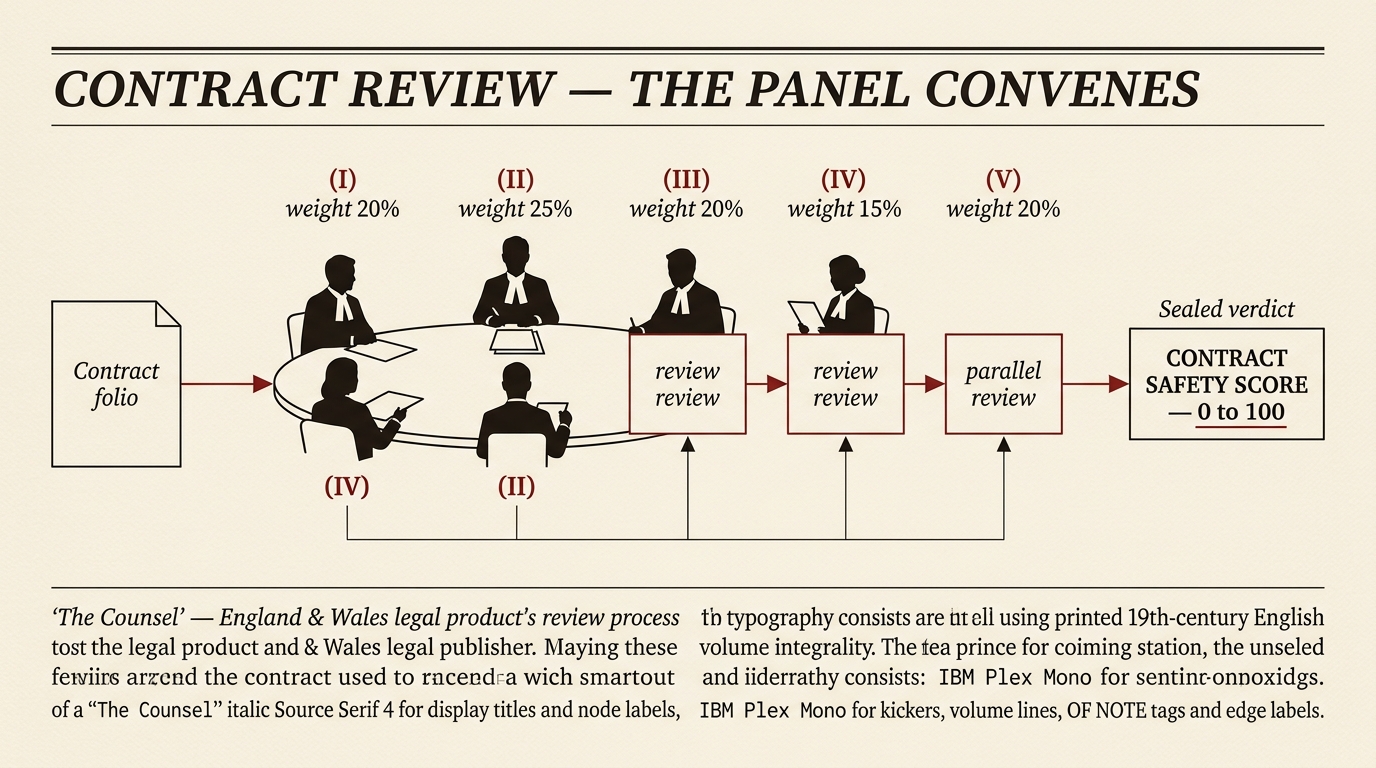
Plate I — the broadsheet rebrand.
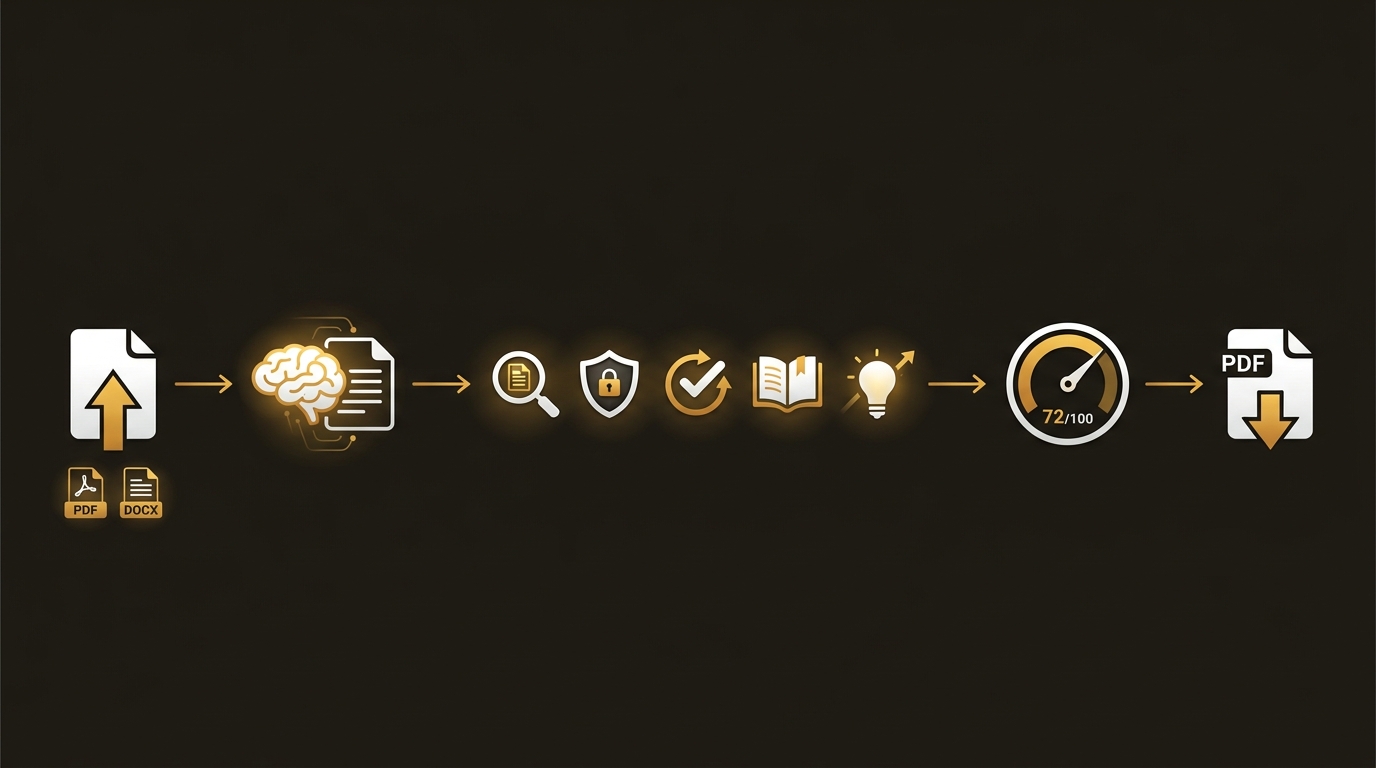
Plate I.a — the original, kept for reference.
The Technical Detail
AI Legal UK analyses legal documents using Claude as the underlying AI model. Rather than traditional code, the system is built from markdown prompt files that instruct Claude how to reason about English law.
Skills Are Markdown Prompts
Every /legal command maps to a SKILL.md file inside skills/legal-*/. Each file is a self-contained prompt that tells Claude:
- What jurisdiction to apply (England & Wales)
- What legislation to reference
- How to structure the analysis (phases, checklists, scoring)
- What output format to produce
There is no shared library, no runtime code, and no compiled artefacts. A skill is pure text.
The Orchestrator
When you run /legal review, the main orchestrator at legal/SKILL.md reads your command and routes it to the correct skill file. The routing table maps all 35 commands to their skill directories:
/legal review     →  skills/legal-review/SKILL.md
/legal employment →  skills/legal-employment/SKILL.md
/legal ir35       →  skills/legal-ir35/SKILL.md
...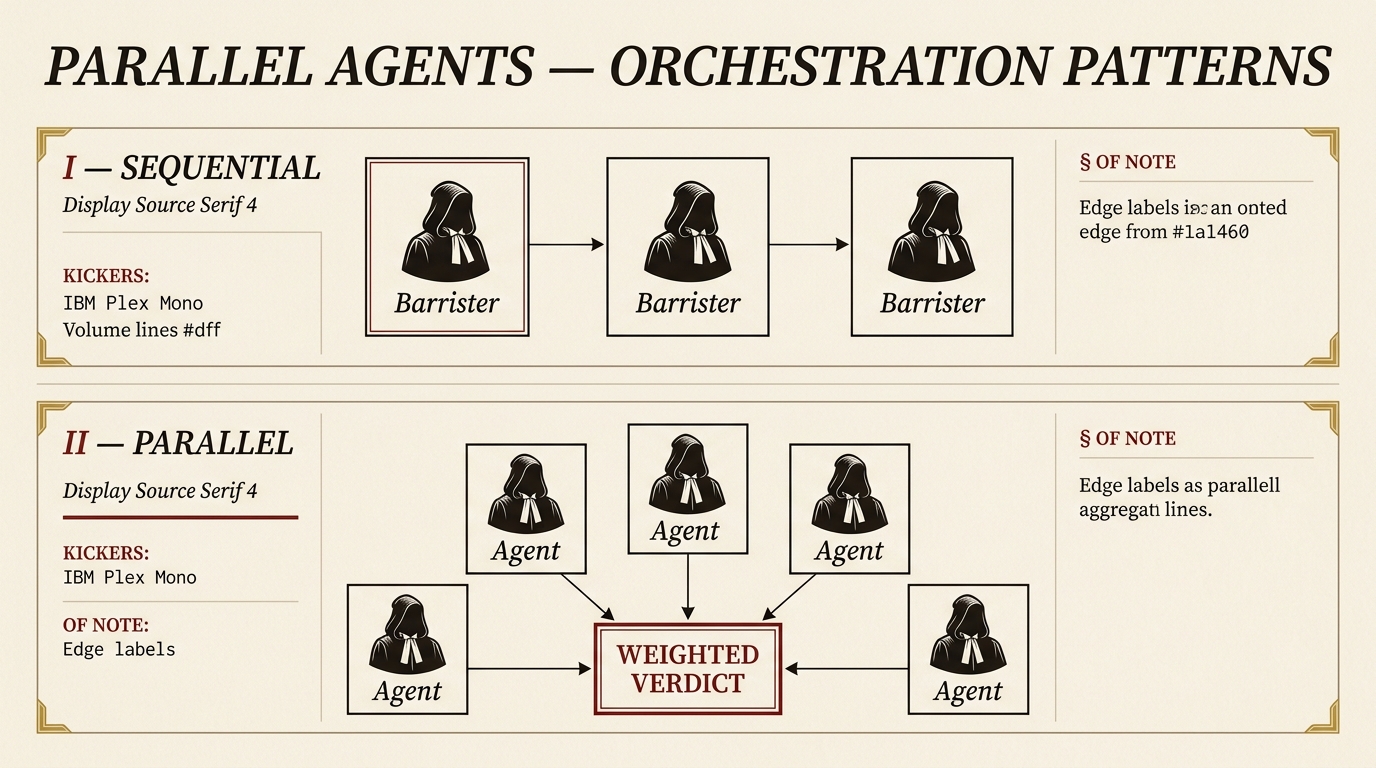
Plate I — the broadsheet rebrand.
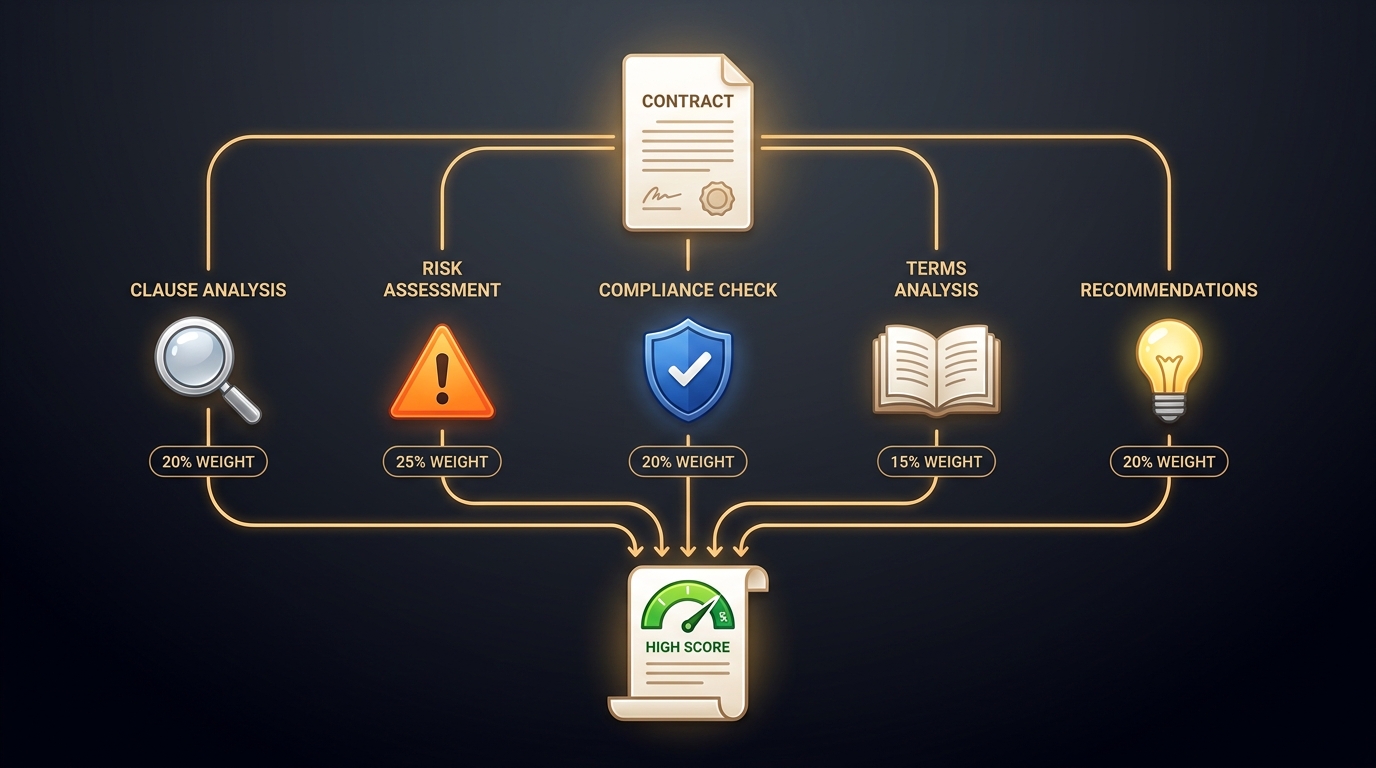
Plate I.a — the original, kept for reference.
Single-Agent vs Multi-Agent Skills
Most skills run the full analysis in one pass -- Claude reads the document and produces a scored report directly.
Three flagship skills launch parallel AI agents for deeper, multi-perspective analysis:
/legal review -- 5 Parallel Agents
| Agent | File | Weight |
|---|---|---|
| Clause Analysis | agents/legal-clauses.md | 20% |
| Risk Assessment | agents/legal-risks.md | 25% |
| Compliance Check | agents/legal-compliance.md | 20% |
| Terms Analysis | agents/legal-terms.md | 15% |
| Recommendations | agents/legal-recommendations.md | 20% |
The parent skill aggregates the five agent outputs into a single Contract Safety Score (0--100).
/legal employment -- 4 Parallel Agents
| Agent | File | Weight |
|---|---|---|
| Contract Review | agents/legal-employment-contract.md | 25% |
| Employment Rights | agents/legal-employment-rights.md | 25% |
| Discrimination Scan | agents/legal-employment-discrimination.md | 25% |
| Obligations Map | agents/legal-employment-obligations.md | 25% |
All four agents carry equal weight.
/legal corporate -- 3 Parallel Agents
| Agent | File | Weight |
|---|---|---|
| Compliance | agents/legal-corporate-compliance.md | 35% |
| Documents | agents/legal-corporate-documents.md | 35% |
| Risk | agents/legal-corporate-risk.md | 30% |
How Agents Work
Each agent is a separate markdown file in agents/ that defines a focused analysis task. When the parent orchestrator skill runs, it launches all its agents simultaneously using the Agent tool. Each agent:
- Receives the ingested document text
- Performs its specialised analysis
- Returns a structured result (scores, findings, recommendations)
The parent skill then collects all agent responses and aggregates them using the defined weights into a final scored report.
TIP
Parallel agents are significantly faster than running analyses sequentially. A 5-agent contract review completes in roughly the same wall-clock time as a single-agent skill.
The Dashboard
The web dashboard wraps the same skill logic for browser-based use. Instead of markdown skill files, it uses equivalent prompts stored in dashboard/lib/api.ts (SKILL_PROMPTS). The dashboard calls the Anthropic API directly with the user's own API key and receives structured output via tool use.
Browser → POST /api/review → Anthropic SDK → Claude → Structured JSON → UIThe dashboard supports two modes:
- Demo mode -- uses pre-built fixture data, zero API cost
- Live mode -- sends the document to Claude via the Anthropic API for real analysis
INFO
The Claude Code skills and the dashboard are deployed independently. Editing a SKILL.md file affects the CLI experience; editing dashboard/lib/api.ts affects the web UI.